Key Takeaways
- Claude Code is not on the free tier: Anthropic's docs state it "requires a Pro, Max, Team, Enterprise, or Console account," and Pro starts at $17/month billed annually ($200 up front) or $20 billed monthly, per the Claude pricing page.
- In AIMultiple's independent benchmark of 10 full-stack tasks, Claude Code scored 0.789 combined at about $1.83 per task, versus Cursor at 0.751 and $27.90 per task.
- Usage is shared across claude.ai, Claude Desktop and Claude Code on a rolling session window plus a weekly cap, according to HackerNoon's hands-on comparison.
- Max, at "From $100" per month, is the upgrade path: the pricing page describes it as "Choose 5x or 20x more usage than Pro."

Claude Code is a candidate for developers who want an agent that can inspect a repository, propose edits, and run checks. Whether a paid plan is worthwhile depends on your workload and its current usage limits. Review those limits alongside the features rather than assuming a monthly subscription guarantees enough capacity for every task.
Review method: this is a synthesis of official documentation and the external reviews and benchmarks attributed below, not a ToolSurge hands-on benchmark. The September 5 revision clarifies that distinction; prices and benchmark conditions should be checked against the cited sources before purchase.
What Claude Code actually is
Anthropic describes Claude Code in its own documentation as “an agentic coding tool that reads your codebase, edits files, runs commands, and integrates with your development tools.” As HackerNoon put it in its full-stack comparison, this class of tool no longer finishes your line — these agents “read your repo, edit files across the tree, run your test suite, read the failure, and try again.”
Per Anthropic’s overview docs, the same engine runs on five surfaces — terminal, VS Code, JetBrains, a desktop app, and the web at claude.ai/code — and your repo’s CLAUDE.md files, settings, and MCP servers carry across all of them. The docs also list subagents that a lead agent coordinates, hooks that fire shell commands around Claude’s actions, skills for packaging repeatable workflows, and an Agent SDK for your own orchestration. If you are still comparing whole categories, our roundup of the best AI coding assistants of 2026 covers the field more broadly.
Setup: about as painless as a CLI gets
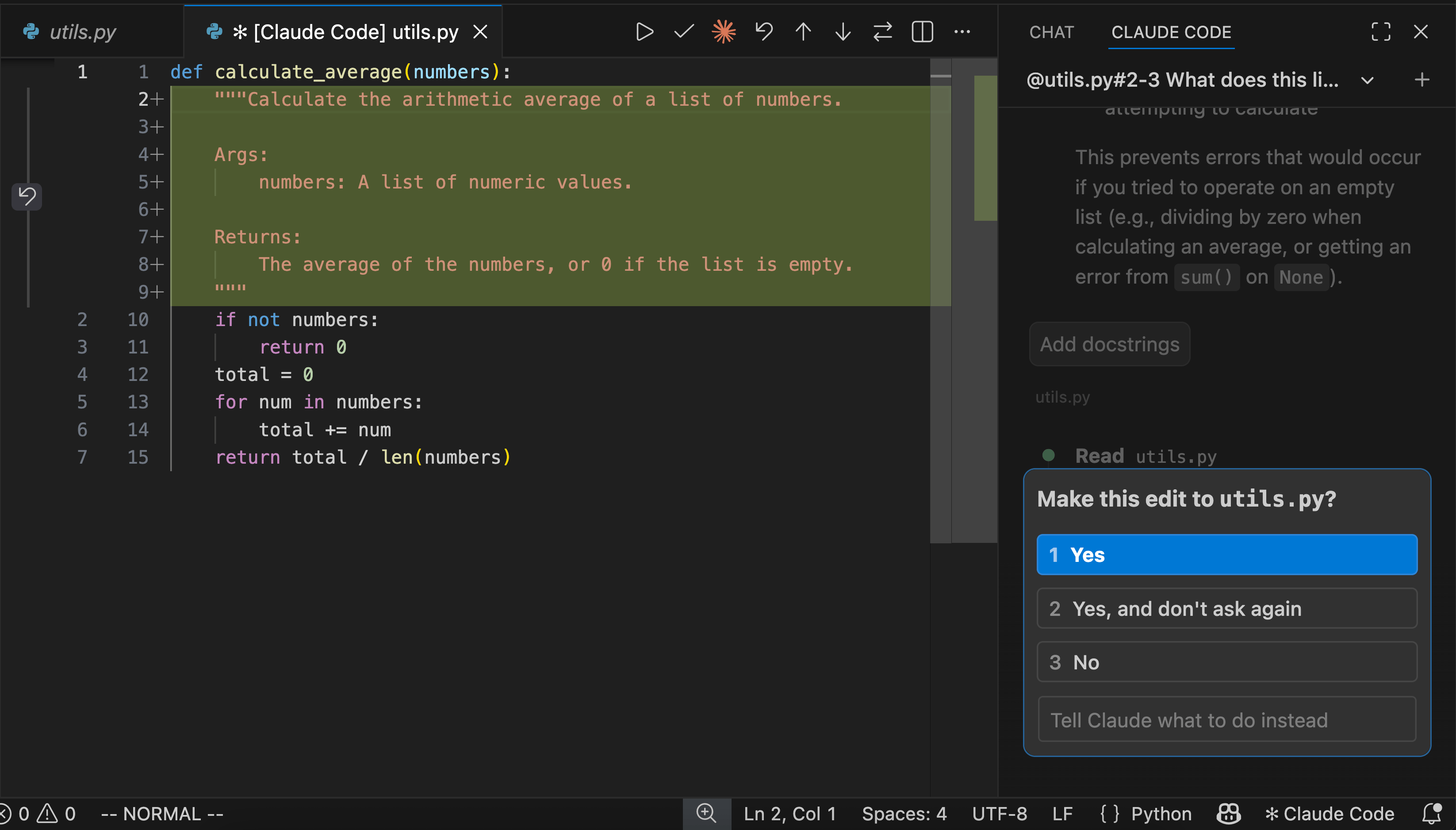
Installation is a one-liner. Anthropic’s setup docs give curl -fsSL https://claude.ai/install.sh | bash for macOS, Linux and WSL and irm https://claude.ai/install.ps1 | iex for Windows PowerShell, plus Homebrew, WinGet, npm, and signed apt, dnf and apk repositories. Requirements are modest: macOS 13.0+, Windows 10 1809+, Ubuntu 20.04+, Debian 10+ or Alpine 3.19+, with 4 GB+ RAM on an x64 or ARM64 processor. Native installs auto-update in the background; Homebrew, WinGet and package-manager installs do not. On native Windows, the docs recommend Git for Windows so Claude Code can use the Bash tool — without it, it falls back to a PowerShell tool.
Then you log in — and hit the first real constraint.
The pricing, quoted straight
Here is exactly what the Claude pricing page shows, because the free-tier question is the one people get wrong most often.
The Free card lists chat across web, iOS, Android and desktop, web search, memory, file creation, remote MCP connectors and extended thinking. It does not list Claude Code. Anthropic’s setup docs say it plainly: “The free Claude.ai plan does not include Claude Code access.”
Pro is “$17 Per month with annual subscription discount ($200 billed up front). $20 if billed monthly,” and its bullets explicitly say “Includes Claude Code.” Max is listed as “From $100” per month with the bullet “Choose 5x or 20x more usage than Pro” — the page markets both Max tiers under one card and one starting price rather than breaking out a separate 20x figure.
Team splits into a standard seat at “$20 Per seat / month if billed annually. $25 if billed monthly” and a premium seat at “$100 Per seat / month if billed annually. $125 if billed monthly,” described as “5x more usage than standard seats.” Both include Claude Code, SSO, and no model training on your content by default. Enterprise is “Seat price + usage at API rates” — “$20/seat. Usage cost scales with model and task” — adding SCIM, audit logs and a HIPAA-ready offering.
You can also skip subscriptions entirely and authenticate with an Anthropic Console account or a third-party provider — Amazon Bedrock, Google Cloud’s Agent Platform or Microsoft Foundry — in which case you are metered per token instead.
How it performs against rivals
The most useful independent numbers come from AIMultiple, which benchmarked agents across 10 full-stack web development tasks with roughly 600 atomic validation checks per agent and more than 9,600 total automated test executions. It pinned every CLI tool to the same Claude Sonnet 4.6 to isolate orchestration quality, while the IDE-based editors ran their native Claude Opus 4.6.
On combined score, Opencode led at 0.816, Grok followed at 0.803, and Claude Code came third at 0.789. Cursor, the strongest editor tested, ranked fourth at 0.751 — on a stronger model.
Cost is where the gap gets loud. AIMultiple measured capable CLI tools at roughly $1 to $3.25 per task, with Claude Code at $1.83, against Cursor at $27.90 and both Roo-Code and Replit above $50. On runtime, Claude Code took 554 seconds per task; Aider was fastest at 338 seconds and Gemini CLI slowest at 1,159.
Treat that as directional: AIMultiple flags that the cross-category comparison is not model-controlled, and that editors could not be fully automated because they frequently ask for manual approval even for allowlisted commands. For a closer head-to-head, see our Cursor vs Claude Code vs Copilot comparison.
What it is genuinely good at
Depth. HackerNoon’s tester found Claude Code strongest at “deep codebase understanding and careful, multi-file refactors,” citing a case where it traced a webhook from the route handler to the database write, narrated each hop, flagged where the mutation happened, and touched nothing until told to go. Their verdict: “The tool that feels most like it’s thinking with me.”
Wiz frames the same strength structurally: Claude Code “takes a narrower approach” — Claude models only, optimized around Anthropic’s terminal-native harness, including extended thinking and Plan Mode, which lets you review the proposed approach before execution. Cursor gives breadth of model choice, Wiz concludes, while Claude Code gives “depth of reasoning within a single model family.”
Being terminal-native is a capability, not an aesthetic. Anthropic’s docs show piping straight into it — git diff main --name-only | claude -p "review these changed files for security issues" — and both AIMultiple and Wiz note that CLI agents slot into scripts, CI and parallel sessions in ways an IDE agent cannot.
Where it frustrates
The shared usage budget is the recurring complaint, and it is structural, not a bug. As HackerNoon describes it, subscription usage runs on a rolling session window plus a weekly cap “shared across claude.ai, Claude Desktop, and Claude Code,” and “a long morning of Claude Code plus browser chat on the same plan can leave you rate-limited by afternoon.”
The second cost is lock-in. Wiz notes Cursor supports Claude, GPT, Gemini and its own Composer model, while Claude Code stays inside one family; HackerNoon called it “the most locked-in of the three” tools it tested. If your model strategy is deliberately multi-vendor, that matters.
And the standard warning applies. Every agent in this class, HackerNoon cautions, “will confidently produce plausible-looking code that’s subtly wrong, invent an API that doesn’t exist, or ‘fix’ a test by deleting the assertion.” Wiz adds that neither Claude Code nor Cursor has visibility into what happens after code is committed, so AI-generated vulnerable dependencies and hardcoded secrets can reach production faster than manual review catches them. Review the diffs.
What happens next
The direction of travel is away from a single terminal session. Anthropic’s docs already list Routines that run in the cloud on a schedule or on GitHub events, Remote Control for continuing a local session from a phone, claude --teleport to pull a web session into your terminal, GitHub Actions and GitLab CI integration, and a Slack surface where mentioning @Claude on a bug report returns a pull request. Expect the pricing question to shift with it: more of your usage will be spent by agents you are not watching.
The competitive question for the rest of 2026 is whether orchestration or model choice wins. AIMultiple’s read is that “a well-orchestrated CLI on a mid-tier model already matches a native Opus editor on full-stack tasks.” If that holds, the pressure lands on the expensive editor tier, not on Claude Code’s $20 one.
Quick poll
What would push you from Pro to Max?
Anthropic's pricing page describes Max as "Choose 5x or 20x more usage than Pro," starting from $100 per month.
If you are weighing the underlying models rather than the harness, our ChatGPT vs Claude vs Gemini breakdown is the companion read.
FAQ
Is Claude Code free? No. Anthropic’s setup docs state that Claude Code “requires a Pro, Max, Team, Enterprise, or Console account.” The cheapest route is Pro at $17/month billed annually or $20 billed monthly.
Does Claude Code run on Windows? Yes, natively. The docs list Windows 10 1809+ or Windows Server 2019+ as supported, with a PowerShell install command. WSL 2 is the alternative and, per Anthropic’s setup table, the only Windows option that supports sandboxing.
Is Claude Code cheaper than Cursor? On AIMultiple’s per-task measurements, yes by a wide margin: $1.83 versus $27.90. Those are metered execution costs on a benchmark, not subscription prices — Cursor’s Pro tier is $20 a month, the same as Claude’s.
Will Claude Code eat my usage limit for regular Claude chats? Yes. HackerNoon reports that subscription usage runs on a rolling session window plus a weekly cap shared across claude.ai, Claude Desktop and Claude Code, so terminal work and browser chats draw from the same budget.